Para registrarse, su teléfono debe compartir su ubicación. Siga los pasos para su teléfono.
To register, your phone needs to share its location. Follow the steps for your phone.
1
Abra Ajustes
Open the Settings app.
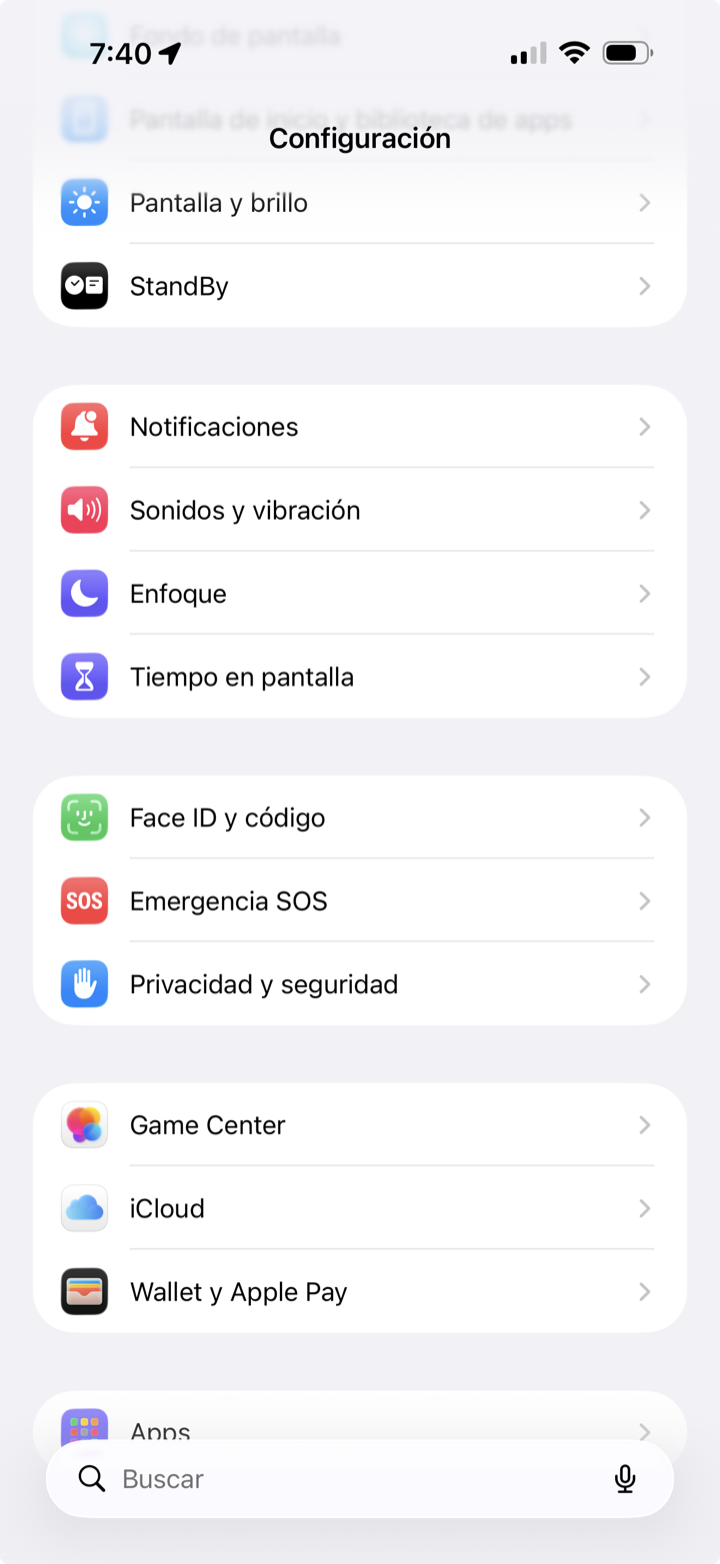
2
Toque Privacidad y seguridad
Tap Privacy & Security.
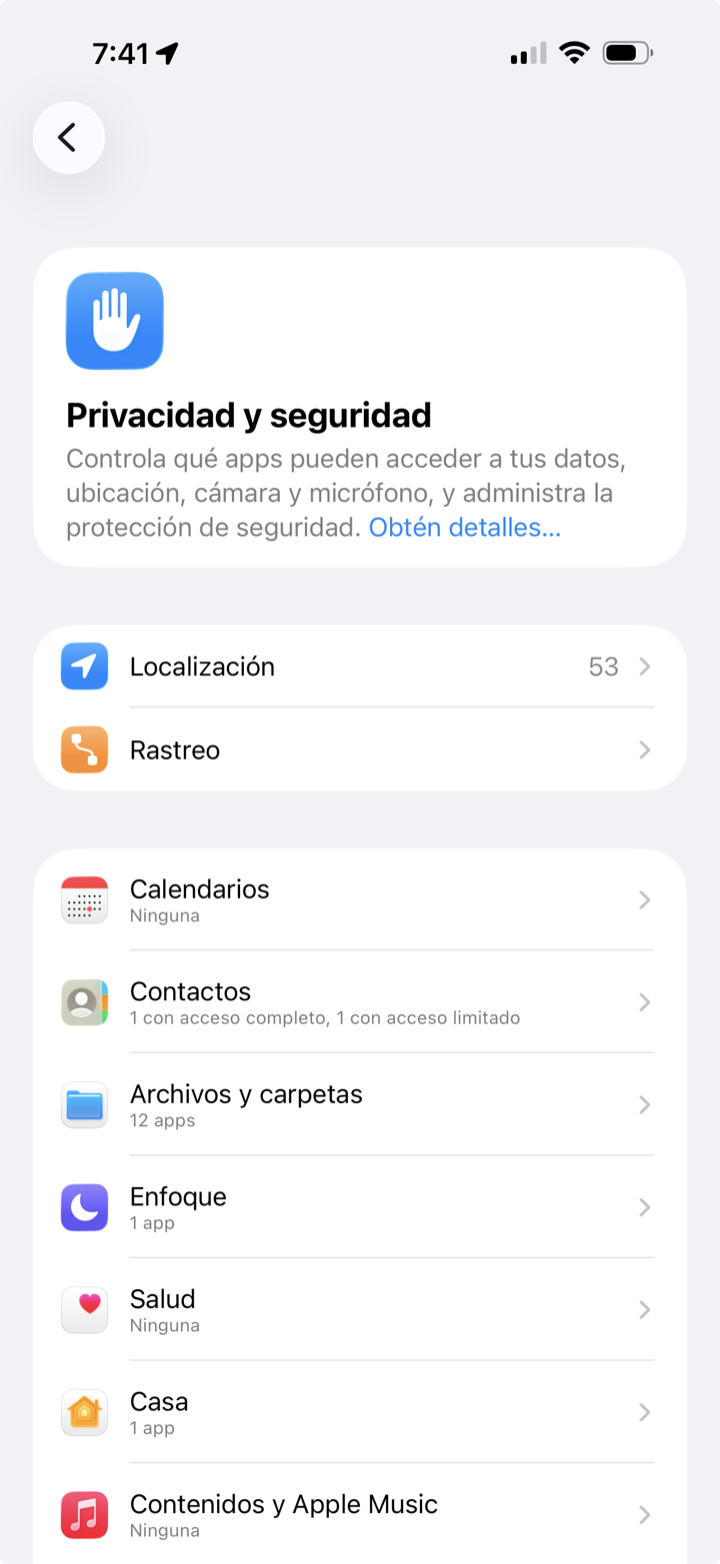
3
Toque Localización y actívela
Tap Location Services and turn it on.
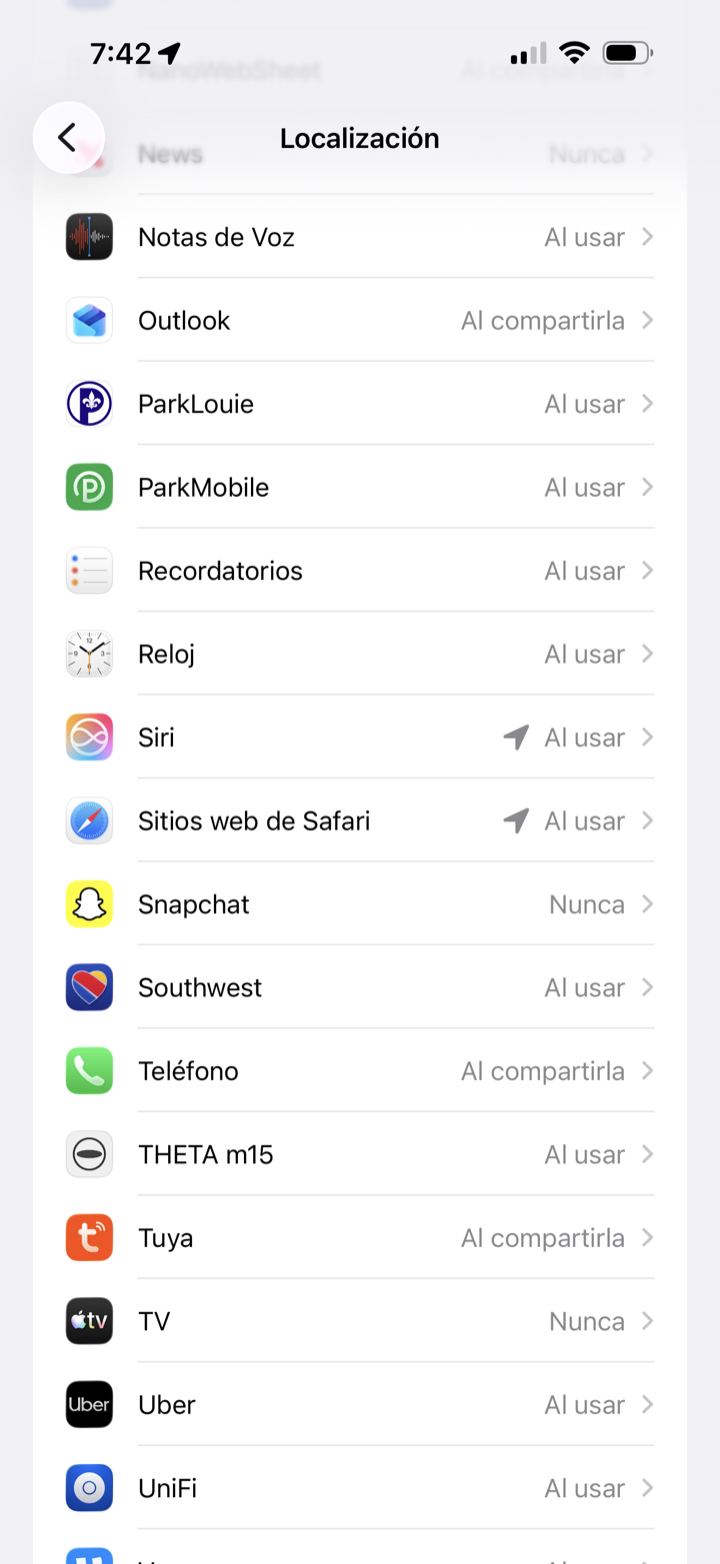
4
Baje hasta Sitios web de Safari
Scroll down to Safari Websites.
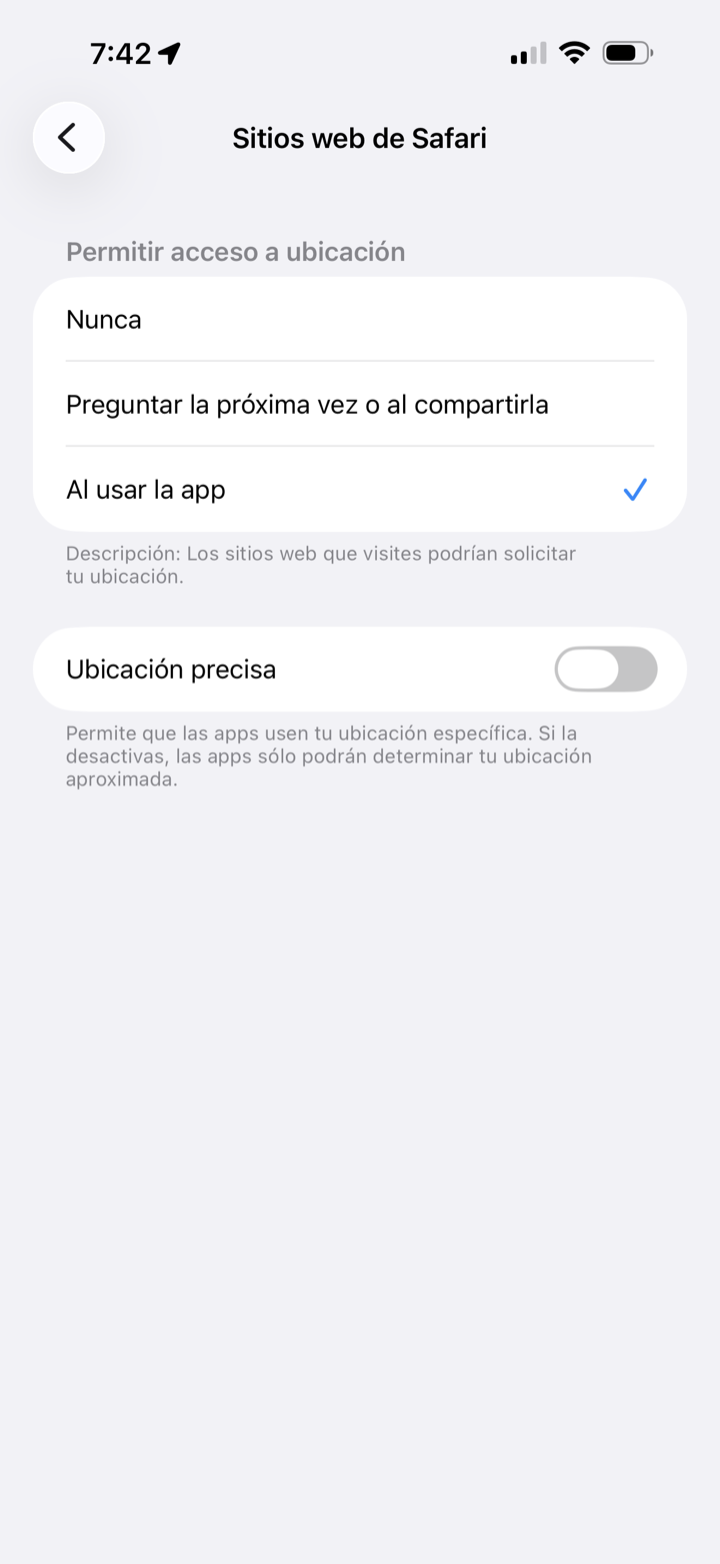
Elija Al usar la app y active Ubicación precisa.
Choose While Using the App, then turn on Precise Location.
1
Abra Ajustes
Open the Settings app.
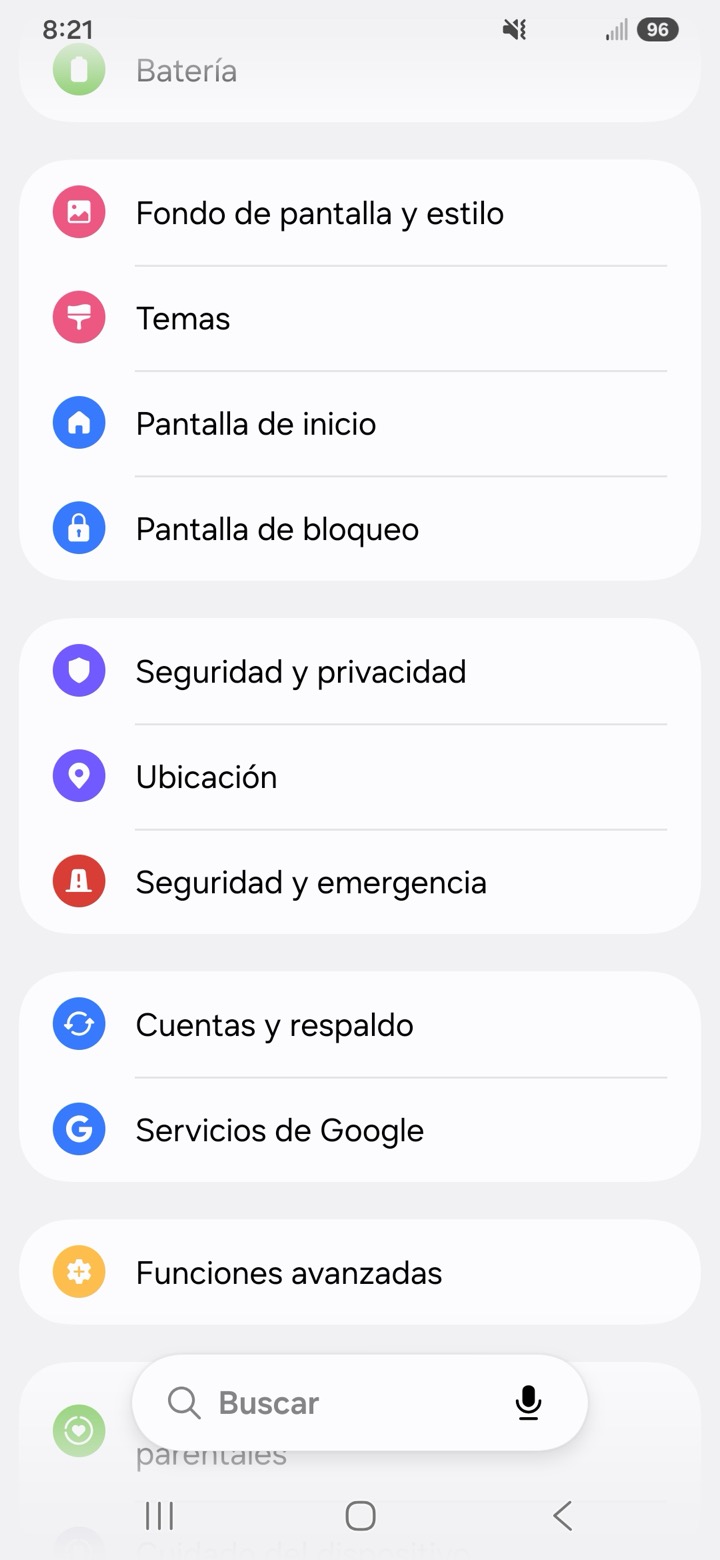
2
Toque Ubicación y actívela
Tap Location and switch it on.
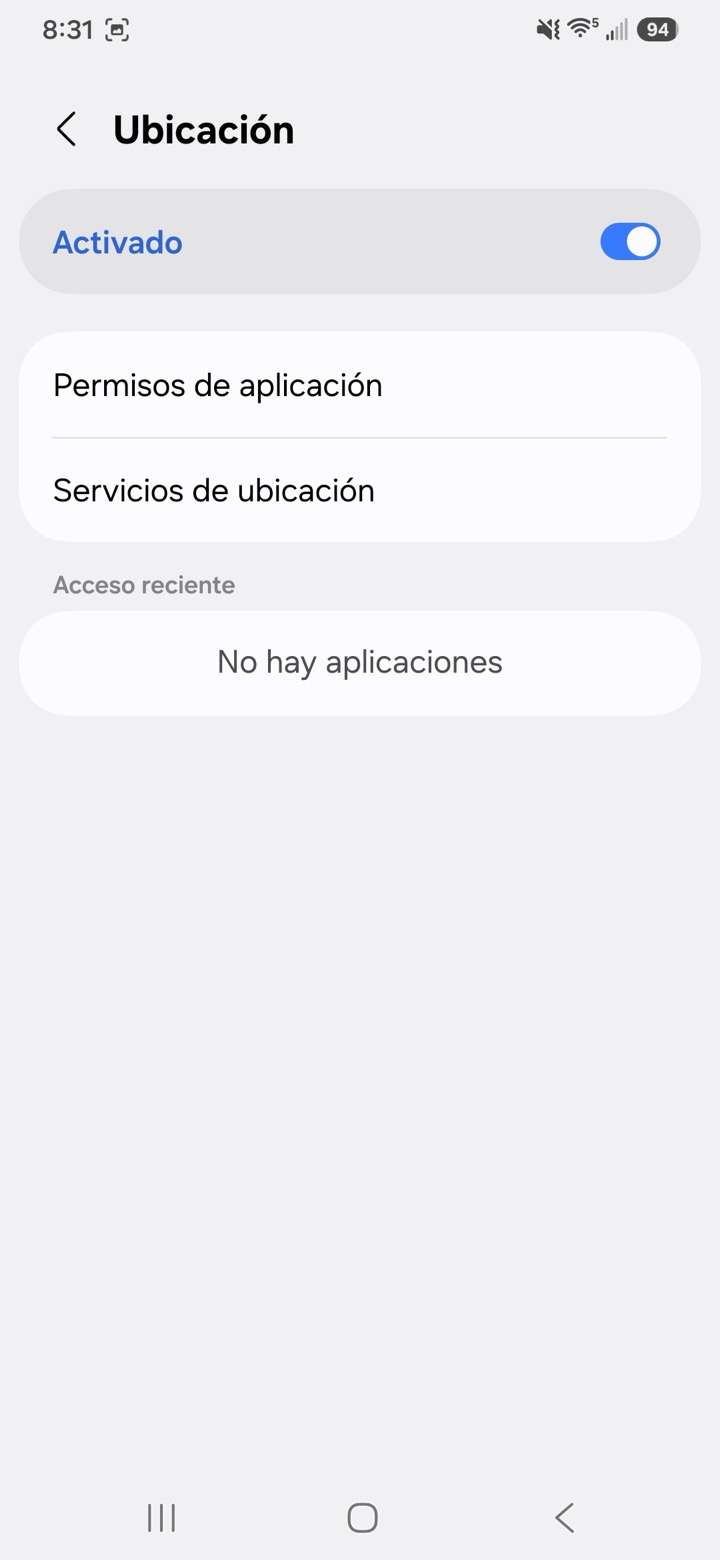
3
Toque Permisos de aplicación
Tap App permissions.
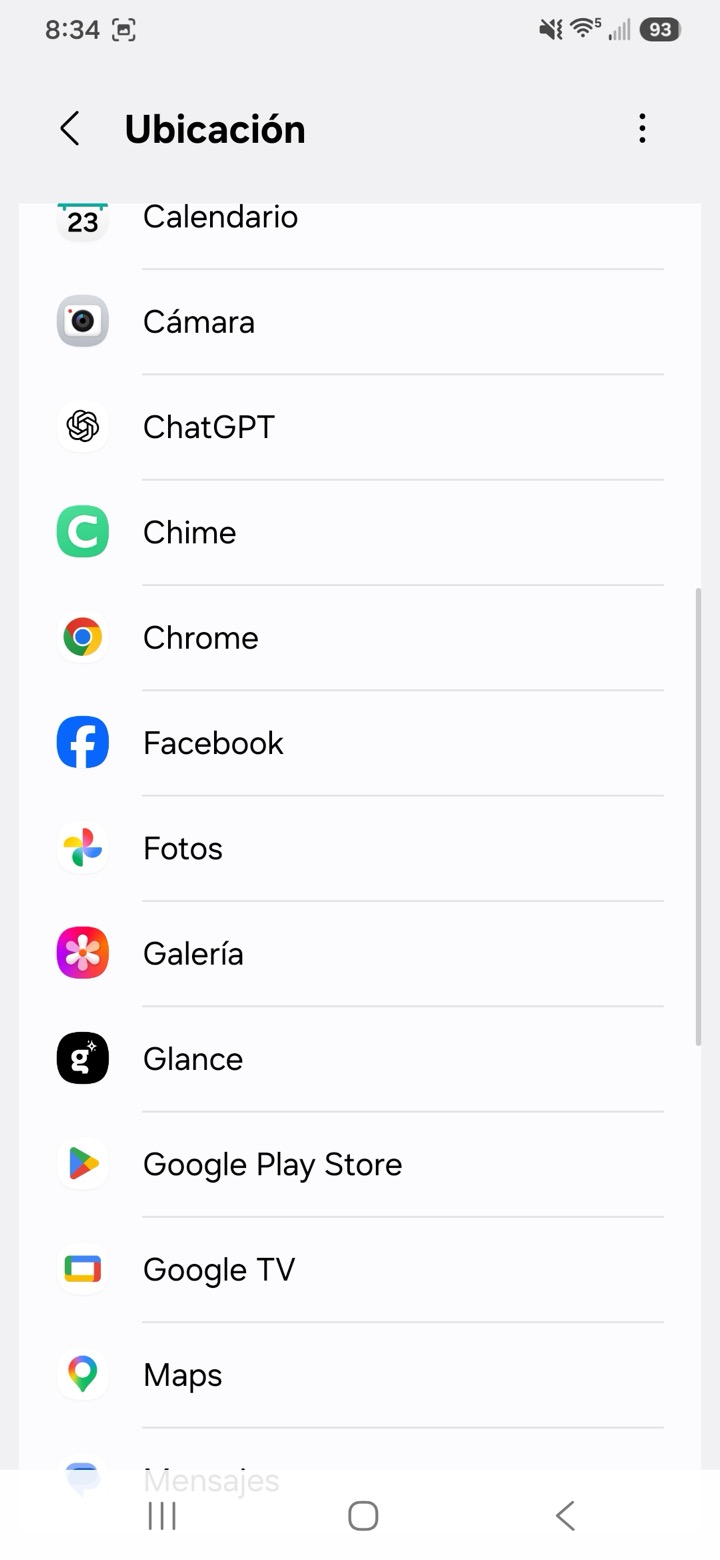
4
Elija Chrome
Select Chrome.
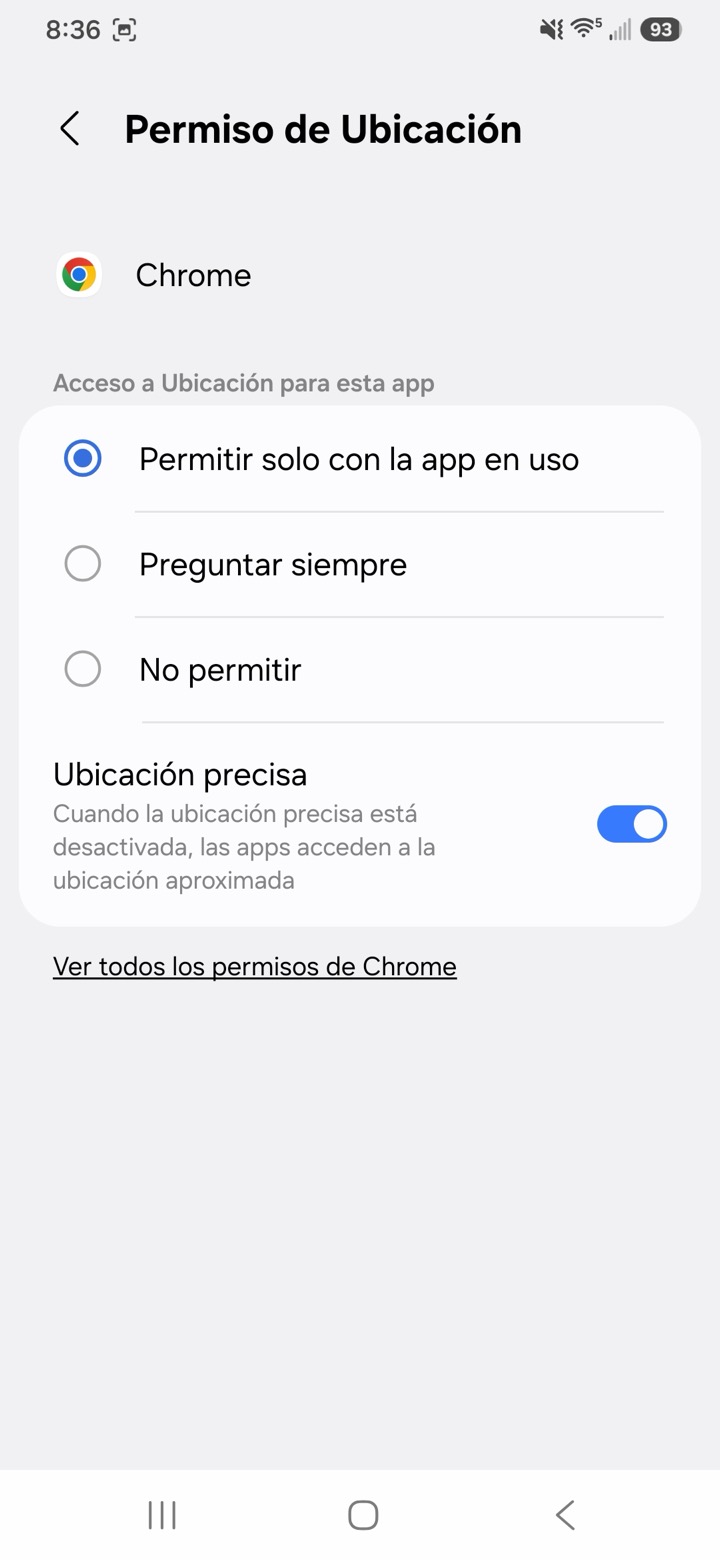
Elija Permitir solo con la app en uso y active Usar ubicación precisa.
Choose Allow only while using the app, then turn on Use precise location.
Ya está listo
Vuelva al formulario y toque Permitir cuando su teléfono pregunte por su ubicación.
Return to the form and tap Allow when your phone asks for your location.
¿Todavía no funciona? Llame al 618‑345‑5112
Still not working? Give us a call.